# Register
## Register Here: [Create Account](https://www.bybit.com/invite?ref=NGVPN6) <
* **Step 1:** Choose to register using Email or Mobile phone number. Please enter your email or mobile number + country code, preferred password and referral code (optional and can be left blank) accordingly.
* **Step 2:** Once you click on “Continue”, you will see the window below. If you are not from the restricted countries or region mentioned, select “No” to continue with the registration.
**Step 3:** Complete the recaptcha verification and enter the verification code sent to your email inbox (email registration) or SMS code sent to your mobile number (mobile registration).
If you do not receive the email, please check if it has been sent to your spam/junk mail box.
#### **You have successfully registered an account on Bybit !**
***
## How to Complete Individual Identity Verification (KYC)
Individual identity verification is divided into three levels: Standard, Advanced, and Pro. The differences in benefits and withdrawal limits between these three levels can be found in [Benefits of Different KYC Levels](https://www.bybit.com/help-center/article/Benefits-of-Different-KYC-Levels). This article provides a step-by-step guide for completing Standard, Advanced, and Pro Level identity verification.
### **How to Complete Individual Identity Verification**
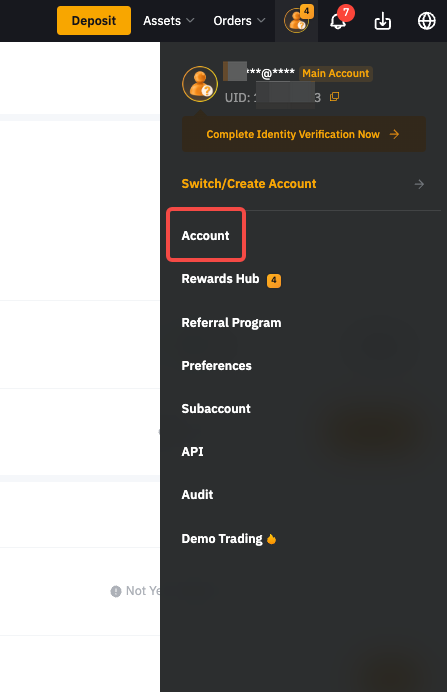
* **Step 1**: Click on the profile icon on the right side of the navigation bar, then click on **Account** page.
* **Step 2**: Click on **Verify Now** in the **Identity Verification** column under **Account Info** to enter the **Identity Verification** page.
* **Step 3:** Select your current residence countries. Please select the accurate residence country and region, as they can influence your verification process. Additional verification may be required if you wish to make changes after confirmation.
#### ***Proof of Identity (POI)***
> **Step 1:** Click on **Verify** under the **Proof of Identity**.
> **Step 2:** Select the country or region that issued your ID, and your identity document type.
> **Step 3:** Take a picture of your proof of identity document(s).
**Notes**:
* *Please make sure the document photo clearly shows your full name and date of birth.*
* *If you are unable to provide photos successfully, please make sure that your ID photo and other information are clear, and that your ID hasn't been modified in any way.*
* *Any type of file format can be uploaded.*
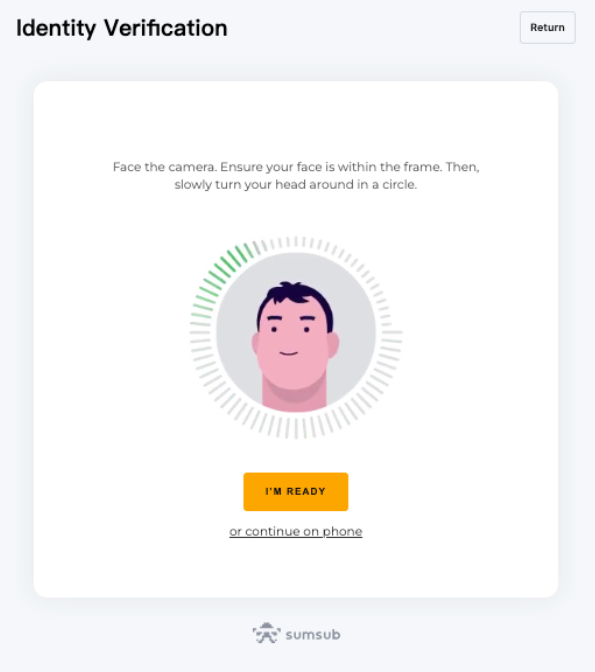
> **Step 4**: Complete your facial recognition scan through your laptop’s camera.